Vision Counts
Every traffic count, ready to report.
Upload your footage, draw your lines, and receive clean counts your stakeholders can trust.
Workflow
From upload to results in three steps.
A straightforward pipeline designed to minimise your time and maximise accuracy.
01
Setup & Draw
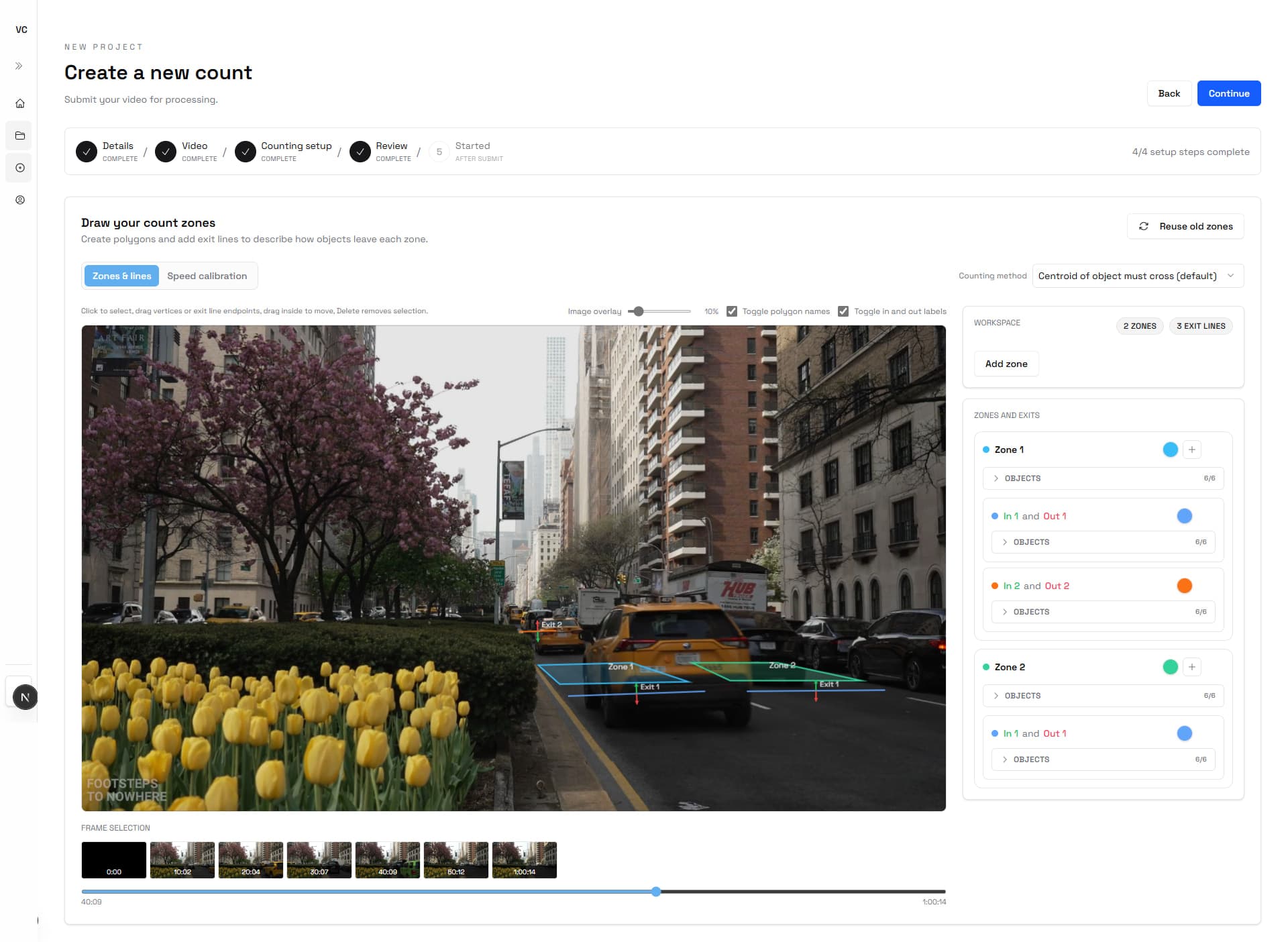
Define your project, upload your footage, and place count lines with direction labels and object classes.
02
Process
GPU workers chunk, detect, and track objects across every frame, building clean per-line tallies automatically.
03
Deliver
Download counts, annotated video, and structured data exports — ready to drop straight into your reports.
A look inside
Your project workspace, end to end.
Features
Built for professional deliverables.
Everything your client-facing traffic study needs, without the manual overhead.
Precision counts, on demand.
Count by direction across multiple lines per video. Configurable object classes, hysteresis windows, and cooldown settings let you match the exact methodology your study requires — no post-processing in a spreadsheet.
Analysis-ready charts.
Window-by-window count charts are generated automatically for every analysis. Screenshot them or export directly — they're formatted to slot straight into a PowerPoint or report.
Deliverables your stakeholders expect.
PDF summaries, CSV exports, and annotated MP4s, packaged and available shortly after your footage completes processing.
FAQ
Common questions.
Starter, Pro, and Scale include a fresh pool of video hours every month and unlimited projects. Hours do not roll over. If you choose to enable additional usage, you also choose a monthly spending cap before any extra footage is processed.
Annotated video exports are available for 14 days after processing. If you need longer access, let us know and we can work with you to extend that retention period.
Yes. Projects can be resubmitted directly from the project page if you need to adjust your count lines. However, if objects or other key settings need to be adjusted in addition to the count lines, the rerun is treated as a new analysis and priced as a new project.
Ready to start
Ready to start counting?
Launch a project and we will take care of the rest.